
Year-End Website Review: What to Update Before January
Use this website update checklist small business owners can finish in December: prices, forms, links, backups, photos and 2027 goals. Learn how.
Every December we sit down with our own site and our clients’ sites and do the same thing: a quick, honest review. This website update checklist small business owners can actually finish is built around accuracy first. Before you worry about technical scores, make sure your site says the right things and that its forms, links and backups work.
We’ve grouped the tasks by effort: 30 minutes, an afternoon, and a plan for January. Start at the top and go as far as your calendar allows.
The 30-minute pass: fix what visitors see first
These are small edits with a big effect on trust.
Update the copyright year
A stale year in your footer doesn’t remove your copyright. Protection exists automatically, so this is not a legal duty. It is polish: an old year makes a site look neglected. You can change it by hand, show a range like “2018–2027”, or ask your developer to make the year update itself so you never think about it again.
Check prices, offers and hours
Open every page that mentions money. Remove expired promotions, correct prices, and update service descriptions that no longer match what you sell.
Then verify your holiday hours on the website and on your Google Business Profile. Think about December 24, December 25, December 31 and January 1. Wrong hours cost you customers faster than almost any technical issue.
Review claims and people
- Look for “years in business” numbers that are now wrong. A phrase like “over 20 years” saves you from editing every January.
- Remove team members who have left.
- Add new staff, and update titles and certifications.
- Confirm your business name, address and phone number match what appears in your online directories.

The afternoon pass: test what has to work
Click every link
Walk through your menu, buttons and key pages. Google treats some 404 errors as normal, so you don’t need to panic about every dead URL. But look into the pages you care about, starting with navigation, the homepage and your busiest pages.
For a fuller list, open Google Search Console and go to Indexing → Pages, then look at “Not found (404).”
How to fix what you find:
- If a closely related page exists, use a 301 redirect to it.
- If there is no true replacement, let it return a 404 or 410.
- Don’t send every dead URL to the homepage. Google can treat that as a soft 404 and it confuses visitors.
Test your forms like a customer
Submit a real test on your contact form, then confirm three things:
- The message arrives in the correct inbox.
- It didn’t land in spam.
- The visitor sees a clear confirmation message.
Repeat the test on your phone. While you’re at it, call the phone number on your site and make sure someone answers or the voicemail is current.
Refresh your photos
Replace outdated images of your team, your location and your products. Compress new photos before uploading, and use a modern format such as WebP where your platform supports it. Fresh images tell visitors you’re active and keep pages loading quickly.
Confirm your tracking
Check that Google Analytics 4 is still recording visits. You’ll need that data for your goals in a moment.
Backups: the task people skip until it hurts
This is where we’re most insistent. A backup you’ve never restored is a hope, not a plan.
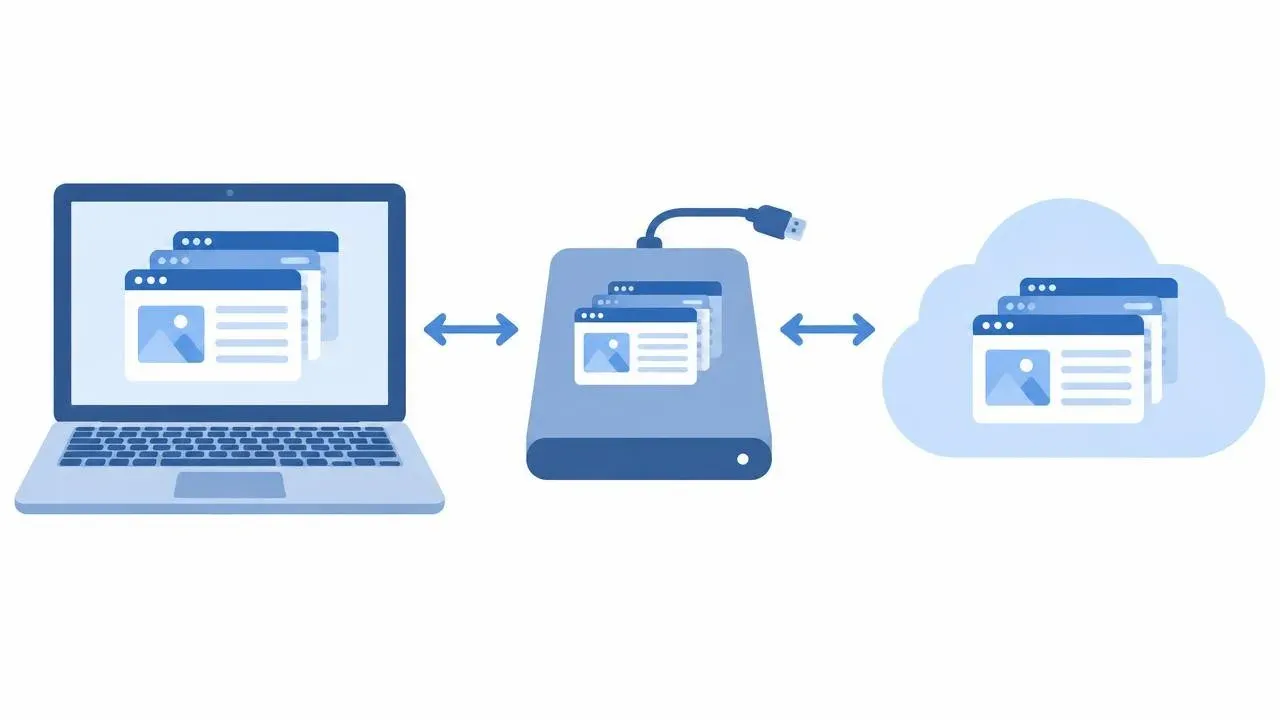
- Follow 3-2-1: three copies, on two types of storage, with one offsite.
- Back up files and database. One without the other usually won’t restore a working site.
- Don’t keep the only copy on the same server as your site. If the server fails, both disappear.
- Set the right frequency. Daily suits most business sites. Online stores and membership sites need hourly or real-time backups.
- Take a manual backup before any update to plugins, themes or your CMS.
- Use an account owned by your business, not a personal or contractor account, and make sure more than one person can restore.
Don’t assume your host has you covered. Ask how often they back up, how long they keep copies, and what a restore costs. Then run a test restore on a staging copy if you can, following a WordPress backup guide step by step.
Renewals: protect the basics
Write down when your domain, hosting and SSL certificate expire, and keep those dates in one secure place that a trusted second person can access. An expired domain in January is a very avoidable emergency.
The January plan: set 2027 goals
Once the site is accurate and safe, look forward.
- Review this year’s analytics: which pages brought visitors, and which led to calls or messages.
- Ask whether you hit the goals you set last January.
- Choose two or three measurable targets, such as more quote requests, more calls from your Google profile, or faster mobile pages.
- Schedule your next check. Many small businesses do a full review every six months, with a quick look at links and forms each quarter.
If you’d rather hand this off, Jonavisualix builds and maintains small business websites, and a year-end review is one of the easiest places to start.
Conclusion: your small business website update checklist
A good year-end review isn’t about perfection. It’s about making sure your prices, people, hours, forms and backups are right before the new year begins. Do the 30-minute pass today, book the afternoon this week, and set your 2027 goals before January gets busy. Your site will thank you with fewer surprises and more trust from every visitor.
Frequently asked questions
Do I have to update the copyright year in my footer?
No, it isn’t a legal requirement, since copyright exists automatically. We still recommend updating it or automating it, because an old year makes your site look neglected.
Do 404 errors hurt my rankings?
Google treats 404s as a normal part of the web, so some alone won’t penalize you. Still, check important pages that return 404 and redirect them only to closely relevant replacements.
How do I test my website forms?
Submit a test as a customer would, confirm it reaches the right inbox and not spam, and check the confirmation message. Repeat it on your phone.
Does my host already back up my website?
Maybe, but verify it. Ask how often backups run, how long copies are kept and what a restore costs, and keep an independent offsite copy too.